Core Concepts
Cost attribution
How every workload's spend gets attached to a Team and an optional Department — by Kubernetes label, by manual assignment, or both.
Finance wants a per-team chargeback. Engineering wants to know which deployment owns this surprise. Both questions are the same question with different filters, and both rest on cost attribution: the model that ties every Kubernetes workload's spend back to a Team and (optionally) a Department.
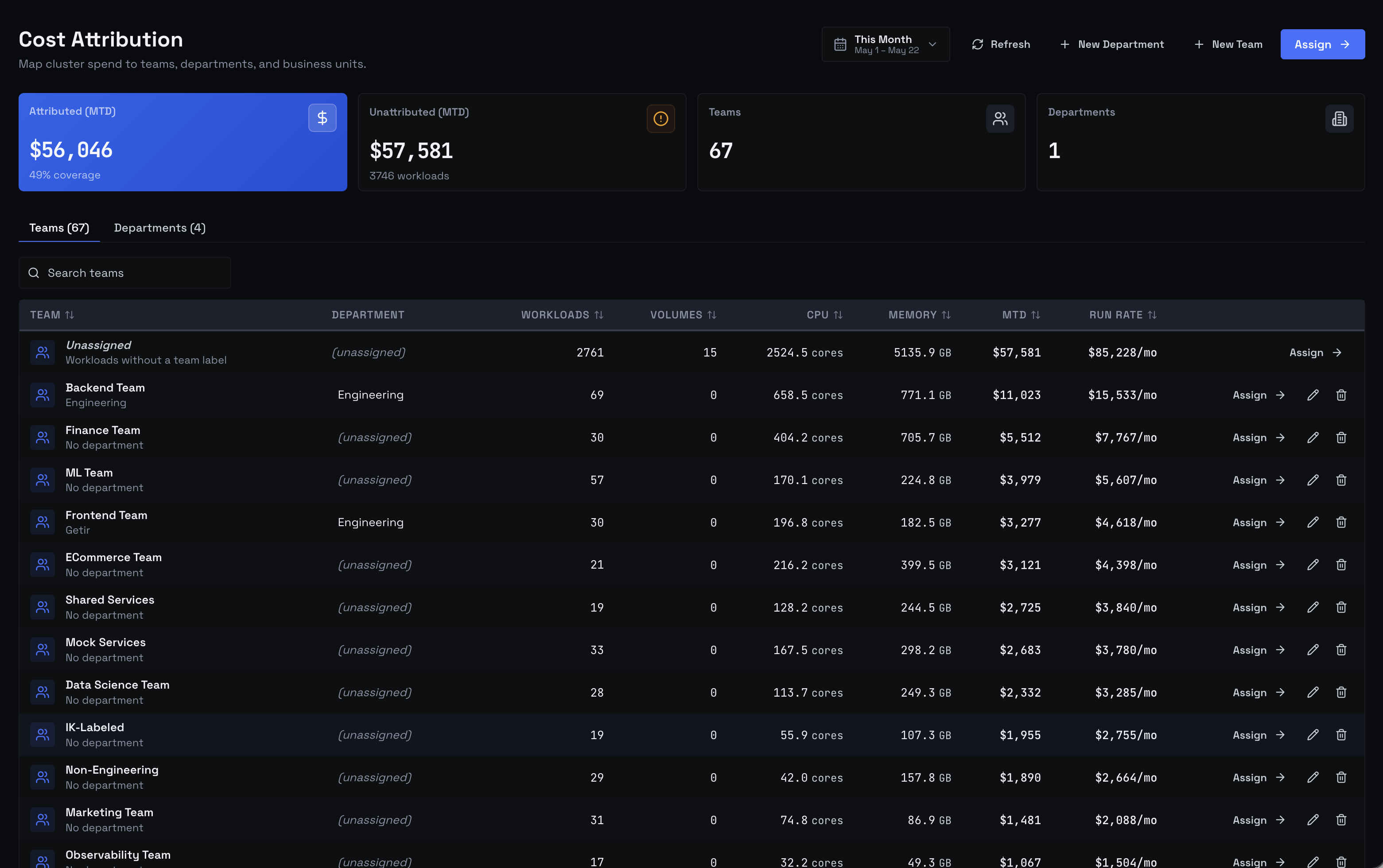 Cost Attribution Page - Teams Tab
What attribution means in Kubeadapt
A workload runs in some namespace, in some cluster, on some node, and incurs cost. Attribution is the relationship that connects that workload to a Team (and through the team, optionally a Department) so a finance query can roll its cost up to the right line item.
Attribution has three layers:
- Teams and Departments — the org units. A Team owns workloads; a Department groups Teams. Both have names, descriptions, owners, and audit history.
- Assignments — the link between a Kubernetes entity (workload, namespace, cluster) and one or more Teams. Each assignment is either manual (you set it in the product) or label-based (derived from a Kubernetes label).
- Automatic label sync — every time your cluster reports in, Kubeadapt re-reads your label values and keeps label-based assignments in sync with what's actually on your pods.
Cost Explorer, Reports, and the cost-by-team views all read the same assignments.
Two ways to attribute
Kubernetes labels (automatic)
If your workloads already carry team labels (team: payments, department: engineering), Kubeadapt picks them up automatically on every cluster update and keeps the assignments in sync. This is the recommended path at scale — once labels are in place, attribution moves with the cluster, not behind it.
The label keys are configurable under Settings → Label Keys. Four keys are recognized: team, department, owner, and environment. The defaults are shown in that screen; override any key to match your existing taxonomy.
See Label-based attribution for the full rules — what gets created, what wins what, and how removed labels are cleaned up.
Manual assignment (Workbench)
If your workloads aren't labeled — or labeling them is more politics than you want to fight today — assign them manually in the Assignment Workbench at Cost Attribution → Assign. Pick one or more workloads, pick a Team, and a manual assignment is recorded.
Manual assignment also handles things labels can't:
- Cost splits. One workload, up to 10 teams, any percentage combination summing to 100. Use this for shared platform pods that genuinely serve multiple owners.
- Cluster-level and namespace-level rules. Attribute everything in a cluster (or a namespace) to a Team by default, then override per-workload as needed.
- Quick fixes. Re-attribute a misattributed workload in two clicks; you'll re-label it later.
When both exist: manual wins
A workload can carry a team label and have a manual assignment. When that happens, the manual assignment wins — every time, in every query. A manual assignment acts as a veto over the label.
This is intentional: a manual assignment is an explicit choice. The label might be inherited from a base chart, set by a script, or simply wrong. When the two disagree, the explicit choice is the ground truth.
The full rules — including suppression and how removed labels are cleaned up — live in Label-based attribution.
What attribution is not
- Not a cost-allocation engine. Attribution decides who owns this workload, not how the cost was computed. Cost itself comes from How costs are computed; attribution maps each workload to a Team.
- Not a billing system. Kubeadapt does not write invoices, post entries to your finance system, or generate chargeback PDFs that finance accepts as authoritative. The closest thing is a Cost Explorer export grouped by team — the rest is your finance team's process.
- Not retroactive. Re-attributing a workload today changes how new queries read that workload today. Previously-finalized Reports keep their original attribution baked in. This is intentional: it stops month-end numbers from drifting after they're cited.
Next steps
- Teams and Departments — what these objects are and how they're managed.
- Assignment Workbench — the manual-assignment UI.
- Label-based attribution — the automatic path and how manual assignments interact with it.
- How costs are computed — the cost numbers that attribution decorates.