
Programmatic access to your cost data
Until now, Kubeadapt data lived behind the dashboard. If you wanted to pull cost numbers into a Slack bot, a CI pipeline, or an internal tool, there was no clean way to do it.
The Kubeadapt Public API gives you REST access to the same data you see in the dashboard: clusters, workloads, costs, and recommendations.
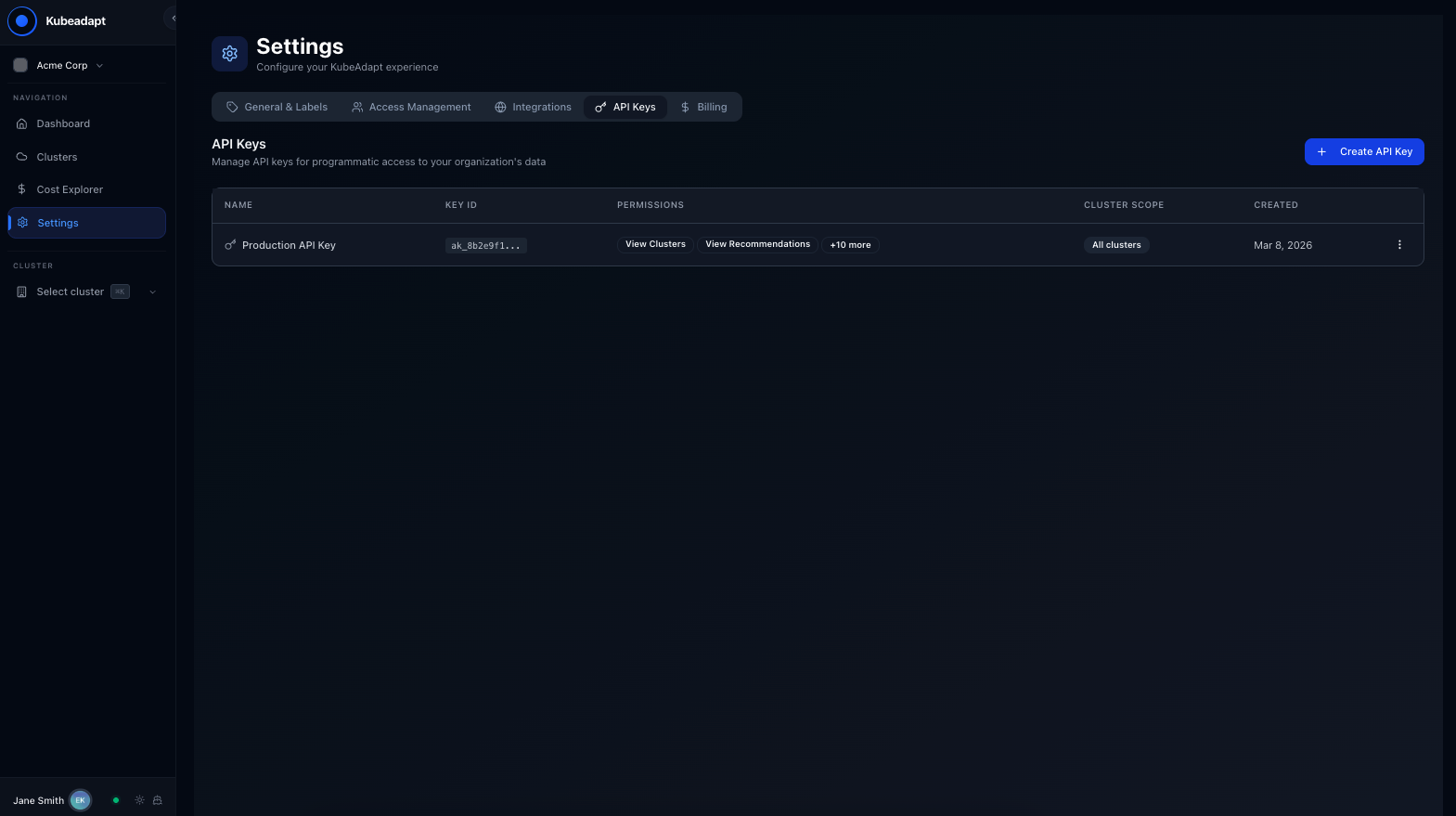
API key management
Go to Settings > API Keys in the dashboard. From there you can:
- Create keys with a name, permission scopes, and optional cluster restrictions
- View active keys with creation date
- Revoke keys when no longer needed
Each key is scoped to your organization.
<!-- callout:warning -->Treat API keys like passwords. Anyone with your key has read access to your organization's cost data. Revoke keys you no longer need.
Authentication
Every request includes your API key as a bearer token:
curl -H "Authorization: Bearer ka_your_api_key_here" \
  https://public-api.kubeadapt.io/v1/clusters
What's available
The public API covers core read operations:
- Clusters: list, detail, health status
- Nodes: inventory, resource capacity, utilization
- Workloads: deployments, statefulsets, daemonsets with resource usage
- Recommendations: right-sizing suggestions with projected savings
- Costs: team and department breakdowns, namespace-level spend
- Namespaces: list with resource quotas
All responses are JSON with consistent error handling. See the API reference for endpoint details, authentication, and examples.
Use cases
Slack/Teams bots: Post daily cost summaries or alert when a namespace crosses a spending threshold.
Custom dashboards: Pull data into Grafana, Datadog, or your own internal tools.
Automation: Generate reports, feed data into FinOps workflows, or build custom integrations.
Paired with the CLI
The kubeadapt CLI wraps this same API with formatted terminal output and built-in auth management.