
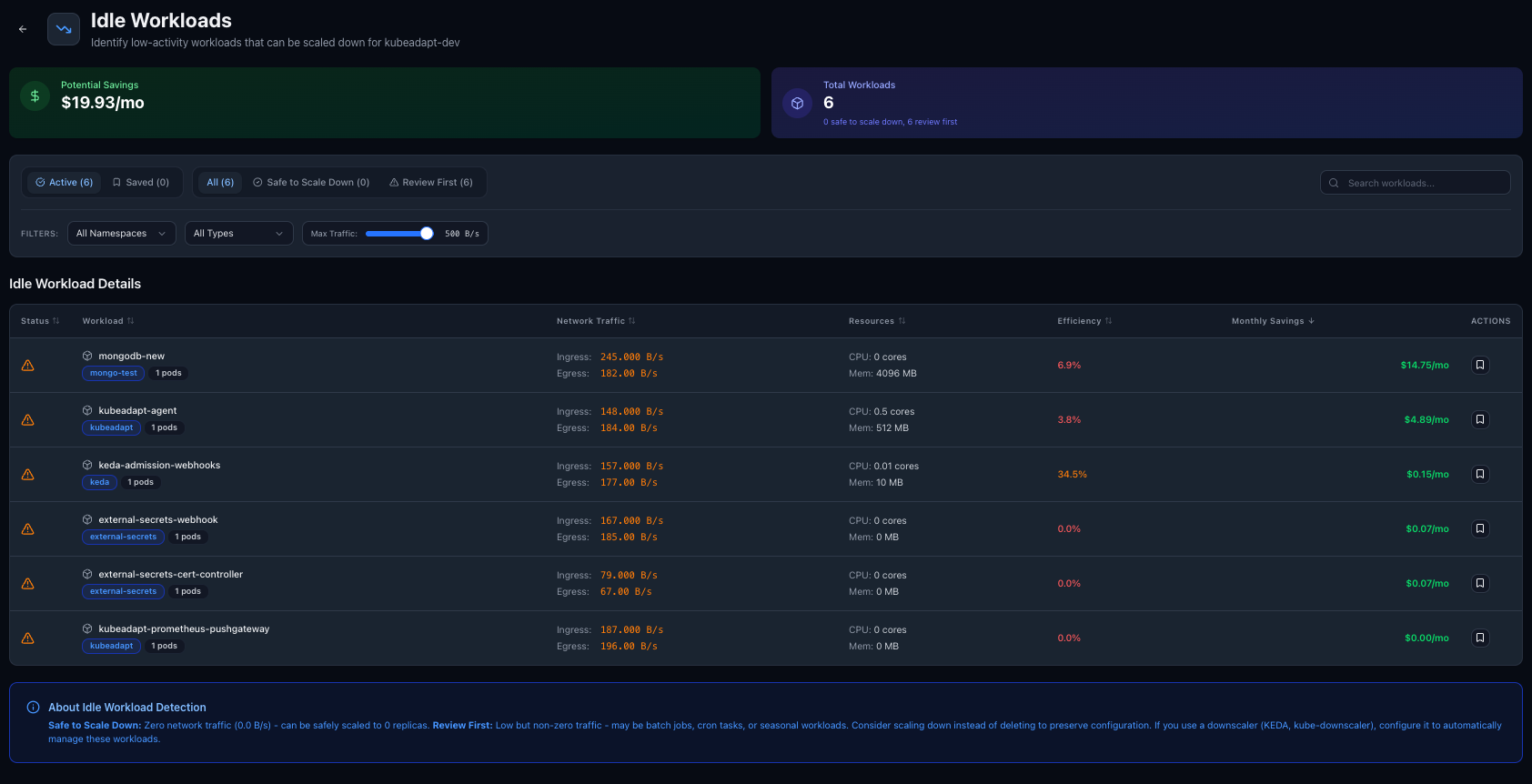
Idle workloads are invisible cost
Dev environments, test deployments, proof-of-concept services, forgotten cron jobs. They request resources, the scheduler reserves capacity, and you pay for it. But nobody is using them.
Kubeadapt now detects workloads with minimal or no activity and surfaces them so you can clean up.
How detection works
The analyzer looks for workloads that show consistently low utilization across both compute and network dimensions:
- CPU and memory usage near zero over the lookback period
- Network activity below a configurable threshold (inbound and outbound)
- No recent scaling events or deployments
A workload that requests 500m CPU but uses 2m and receives no network traffic for a week is likely abandoned. The analyzer flags it with an estimated monthly cost so you can prioritize cleanup.
<!-- callout:note -->When a flagged workload is deleted or scaled to zero, the detection clears automatically on the next agent snapshot.
What you see
Each abandoned workload shows:
- Current resource requests vs. actual usage
- Network activity level
- Monthly cost of keeping it running
- How long it has been idle
How to use it
Go to Available Savings in your cluster and click Manage abandoned workloads. The list is sorted by cost impact. You can adjust the network activity threshold in page preferences to tune sensitivity.